
Case Study: Sports Assessment Mobile App
Overview
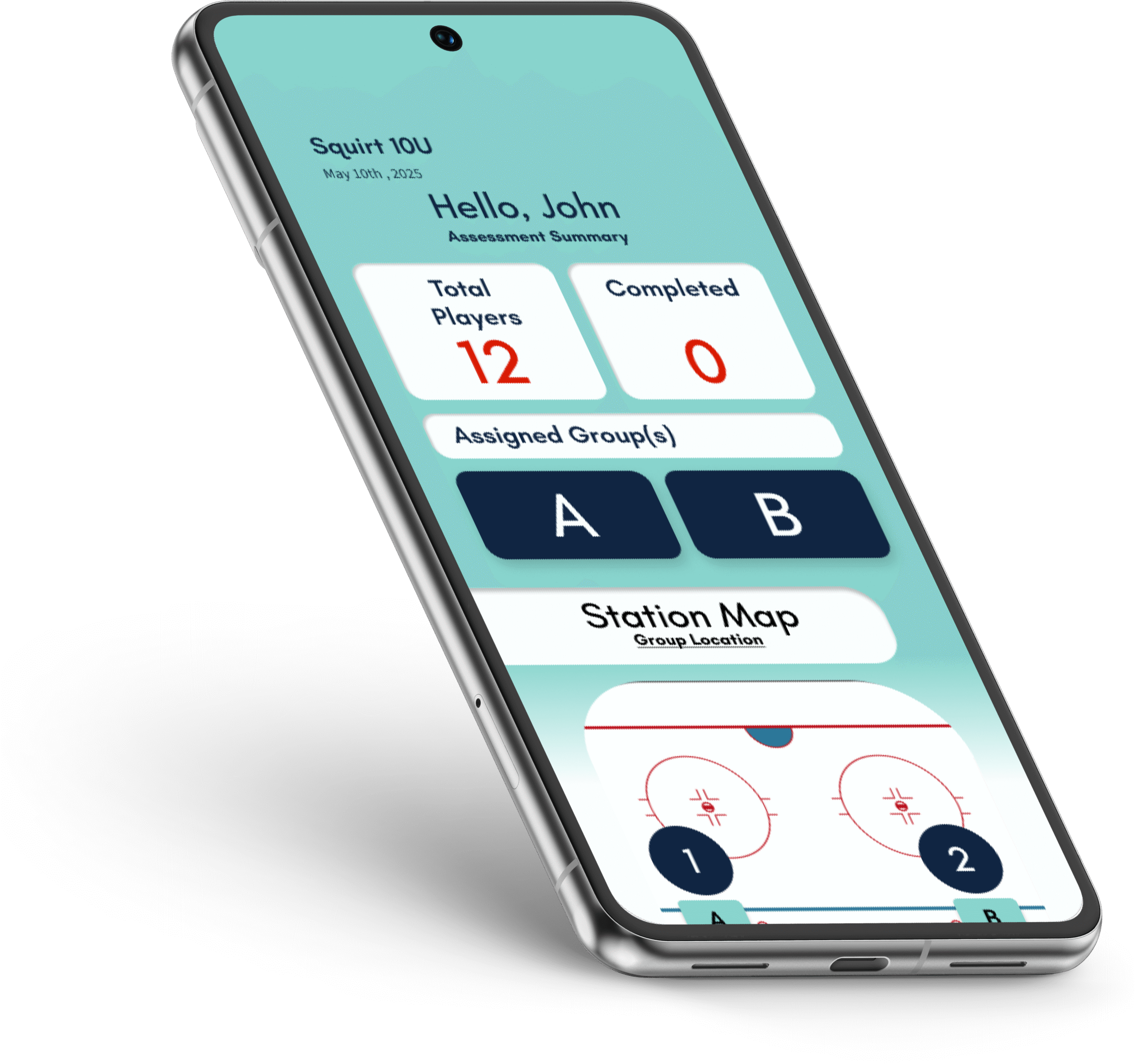
This mobile app was designed to make sports assessments easier, faster, and way less chaotic. Let’s be real, coaches and assessors usually have their phones in hand, not laptops or clipboards. I wanted to create a tool that works where they work: out on the field, in the rink, or wherever the game is happening.
The Problem
Traditional sports assessments involve juggling paper forms, spreadsheets, or desktop-only tools. It’s messy, slow, and honestly gets in the way of what matters most, watching and evaluating athletes in real time.
The Solution
A mobile-first assessment app that keeps things clean, organized, and super easy to use. Assessors can see their assigned groups, track where each one is, and submit scores on the spot. No spreadsheets. No stress.
Design Process
- Sketching & Flow Mapping
I started old-school with pen and paper, sketching out ideas and user flows. This helped me nail down what screens were essential and how users should move through the app. - Wireframing & Prototyping
I used Figma to build out a clean, responsive layout with clear visual hierarchy and plenty of breathing room. Feedback from coaches and assessors helped me simplify navigation and tighten up spacing so nothing felt crowded or confusing. - Visual Design
I brought the interface to life using bold, high-contrast colors that stay readable outdoors, especially in sunny conditions. Icons and visuals were created in Figma.
Key Features
- Assigned Groups View
Assessors instantly see which athletes or teams they’re working with. - Real-Time Score Submission
Enter scores directly the master sheet from the field, rink, or turf, no internet dropouts or saving for later. - Location Tracking
Easily keep track of who’s where, especially in multi-field or multi-rink events.
Design Highlights
- Strong grid system across all screens
- Consistent color palette and typography for clarity
- Clean navigation for quick access and minimal distractions
- Mobile-first UX with big tap targets and readable text sizes
Reflection
This project really made me think about usability in real-world conditions, glare, weather, gloves, and even distracted users. I’m proud of how it turned out: it’s organized, functional, and actually helps coaches focus on players instead of paperwork.